|
поискавой системы для электроныых деталей |
|
|
поискавой системы для электроныых деталей |
|
TC_LAB датащи(PDF) 23 Page - Wavelength Electronics, Inc. |
|
|
|||||||||||||||||||||||||||||
TC_LAB датащи(HTML) 23 Page - Wavelength Electronics, Inc. |
|
|
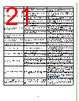
23 / 29 page  23 ERROR MESSAGES Table 6. Error Messages To clear the error text, fix the cause and then press any icon or the Enable button. ERROR POTENTIAL CAUSES SOLUTION The USB flash drive is missing or not accessible. Please make sure that a USB flash drive is inserted into the front panel. To run a local TC scan, a USB flash drive must be in place. Insert a USB flash drive in the data port on the front panel. The USB flash drive was removed. The scan has been aborted. To run a local TC scan, a USB flash drive must be in place. Insert a USB flash drive in the data port on the front panel The internal temperature limit of the instrument has been exceeded. Output current has been disabled to protect the laser. The ambient air temperature is too high for the instrument. Reduce the ambient air temperature to 40ºC or less. The TC scan was canceled by the user. The Stop button was pressed during the scan. Scan was canceled because output current is disabled. The Enable button was pressed during a scan, cutting current to the load. An open circuit was detected at the load. Please verify the load and load connections. The instrument cannot drive current through the load. Make sure the A1 and A2 pins on the 15 + 2 D-SUB are connected to the thermoelectric or resistive heater. A short circuit was detected at the load terminals. Please verify the load and load connections. The instrument is detecting that there is no resistance where the load should be. Make sure the A1 and A2 pins on the 15 + 2 D-SUB are connected to the thermoelectric or resistive heater. An open circuit was detected at the sensor. Sensor is wired to the wrong pins Make sure the chosen sensor is properly wired. A short circuit was detected at the sensor. Make sure the chosen sensor is properly wired. Shutdown at user limit The actual temperature has exceeded one of the temperature limits and an LD Shutdown signal has been sent. The temperature controller will continue to operate, but the TE current will be disabled. The active QCL or laser diode was shut down, if the LAB instruments were connected. The setpoint may be too close to the temperature limit. Overshoot is natural as the system is coming to temperature. IntelliTune aborted – Starting actual temperature too close to setpoint. To start IntelliTune, actual temperature cannot be close to setpoint. Disable current, allow actual temperature to move away from setpoint, and restart IntelliTune. IF ANY OF THE ERRORS BELOW OCCUR, PLEASE CONTACT WAVELENGTH TECHNICAL SUPPORT FOR FURTHER ASSISTANCE. • An internal error occurred while reading data from hardware. Please contact the factory for further assistance. • A timeout occurred waiting for output. Make sure the load is connected and interlocks are satisfied. • An internal error was detected. Please contact the factory for further assistance. • A fault in the internal +5V supply was detected. Please contact the factory. • A fault in the internal +15V supply was detected. Please contact the factory. • A fault in the internal -15V supply was detected. Please contact the factory. • A timeout occurred waiting for the internal load power supply to stabilize. Please contact the factory. • A problem has been detected in the instrument power supply. Please contact the factory for further assistance. • A current surge has been detected in the instrument. Output has been disabled to protect the laser. |
|
ссылки URL |
| Вашему бизинису помогли Аллдатащит? [ DONATE ] |
Что такое Аллдатащит | реклама | контакт | Конфиденциальность | Ссылка на техническое описание | обмен ссыками | поиск по производителю All Rights Reserved©Alldatasheet.com |
| Russian : Alldatasheetru.com | Korean : Alldatasheet.co.kr | Spanish : Alldatasheet.es | French : Alldatasheet.fr | Italian : Alldatasheetit.com Portuguese : Alldatasheetpt.com | Polish : Alldatasheet.pl | Vietnamese : Alldatasheet.vn Indian : Alldatasheet.in | Mexican : Alldatasheet.com.mx | British : Alldatasheet.co.uk | New Zealand : Alldatasheet.co.nz |
|
Family Site : ic2ic.com |
icmetro.com |
 Russian ▼
 English
 Chinese
 German
 Japanese
 Russian
 Korean
 Spanish
 French
 Italian
 Portuguese
 Polish
 Vietnamese
 Indian
 Mexican
 British
 New Zealand