|
поискавой системы для электроныых деталей |
|
|
поискавой системы для электроныых деталей |
|
TC_LAB датащи(PDF) 15 Page - Wavelength Electronics, Inc. |
|
|
|||||||||||||||||||||||||||||
TC_LAB датащи(HTML) 15 Page - Wavelength Electronics, Inc. |
|
|
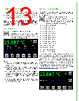
15 / 29 page  15 ADJUST THE SETPOINT 1. Press to access the Control Screen. NOTE: The actual temperature of the sensor is displayed in green and is not editable. 2. Press the Setpoint temperature value and turn the adjustment knob until the desired temperature is displayed. Figure 21. Control Screen The Control Screen is also the location of the PID control parameters, IntelliTune, and the Temperature Scan function. To change any of the PID values, press the number and turn the adjustment knob until the desired value is displayed. DISPLAY EXISTING CURRENT AND VOLTAGE VALUES Press to access the Monitor Screen. NOTE: Values on this screen cannot be changed and are for information only. Figure 22. Monitor Screen Signed thermoelectric current, TE voltage, and actual sensor voltage are displayed. The signal from the auxiliary sensor is converted to temperature using a 10 kΩ thermistor with 100 µA bias current calibration values. ENABLE CURRENT Press the Enable button. There is no delay before the button illuminates and the current flows. Once the current is enabled, the actual temperature should move toward the setpoint temperature. (See the Troubleshooting section if it does not.) Once the actual temperature is near the setpoint, a green target symbol is displayed to indicate that the actual temperature is within the specified tolerance window around the setpoint. Tolerance is set on the Settings Screen. |
|
ссылки URL |
| Вашему бизинису помогли Аллдатащит? [ DONATE ] |
Что такое Аллдатащит | реклама | контакт | Конфиденциальность | Ссылка на техническое описание | обмен ссыками | поиск по производителю All Rights Reserved©Alldatasheet.com |
| Russian : Alldatasheetru.com | Korean : Alldatasheet.co.kr | Spanish : Alldatasheet.es | French : Alldatasheet.fr | Italian : Alldatasheetit.com Portuguese : Alldatasheetpt.com | Polish : Alldatasheet.pl | Vietnamese : Alldatasheet.vn Indian : Alldatasheet.in | Mexican : Alldatasheet.com.mx | British : Alldatasheet.co.uk | New Zealand : Alldatasheet.co.nz |
|
Family Site : ic2ic.com |
icmetro.com |
 Russian ▼
 English
 Chinese
 German
 Japanese
 Russian
 Korean
 Spanish
 French
 Italian
 Portuguese
 Polish
 Vietnamese
 Indian
 Mexican
 British
 New Zealand