|
поискавой системы для электроныых деталей |
|
|
поискавой системы для электроныых деталей |
|
TC_LAB датащи(PDF) 21 Page - Wavelength Electronics, Inc. |
|
|
|||||||||||||||||||||||||||||
TC_LAB датащи(HTML) 21 Page - Wavelength Electronics, Inc. |
|
|
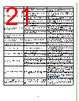
21 / 29 page  21 PROBLEM POTENTIAL CAUSES SOLUTIONS The Enable button does not turn on The button has been turned on and off within 2 seconds. The button cannot be pressed faster than every 2 seconds. The instrument experienced an internal fault. (See Error Messages.) The instrument will remain disabled until manually powered off and then on using the rear panel power switch. The instrument heatsink temperature has exceeded 70ºC. Allow the instrument to cool down and then press the front panel power button. The front panel Power button is not on. Press the Power button on the front panel to enable the display. The instrument is on but the front panel display is blank The instrument experienced an internal fault. (See Error Messages.) Switch the back panel power button off and then on again, and turn the front panel power button on. The internal temperature has reached an unsafe level. Allow the instrument to cool down and then switch the back panel power button off and then on again, and turn the front panel power button on. The front panel Power button is pulsing on and off in standby mode. Press the Power button on the front panel to enable the display. The date and time on my TC scan file are wrong The TC LAB instrument does not have a realtime clock. When a TC scan file is created, the date and time stamp are randomly chosen. The TC scan files are not in the order that they were created Some files may have been deleted off of the USB flash drive. When files are deleted off of the USB flash drive and new files are saved to it, the new files are given sequentially the names of the deleted files. Unable to create new TC scans There are too many files on the USB flash drive. Delete files from the USB flash drive. I can’t find my TC scan files TC scan files are named sequentially If files have been deleted from the flash drive, any new files added are named sequentially and have the names of the deleted files. The output switched off unexpectedly The instrument detected an internal error. (See Error Messages.) Switch the back panel power button off and then on again, and turn the front panel power button on. The internal temperature has exceeded 70ºC. Allow the instrument to cool down and then press the front panel power button. My instrument doesn’t show up in the list. (Remote Only) Your instrument may not be turned on. Power up the instrument and click Refresh on the Choose Instrument window. Your instrument may not be plugged in to the computer. Check that either a USB or Ethernet cable is tightly connected to the instrument and to the computer. Your instrument may be on a different sub-net. Add the sub-net to the Choose Instrument window and then click Refresh. IntelliTune fails because of a sensor error Sensor voltage may be too high or too low, which triggers a bias current change. Choose a setpoint such that the sensor voltage will be between 0.25 V and 12.075 V. The sensor signal will be in range during all of the sweeps and not trigger a bias current change. Use the remote command TEC:BIAS to set a fixed sensor bias current. Review the TCS Series Thermistors Datasheet for temperature-resistance- voltage relationships. IntelliTune stopped without an error message or updating the PID coefficients. If a new sensor was chosen, it is possible that the Resistive Hi and Lo limits no longer apply. Go to the Settings screen and change to Resistance Mode. On the Limit screen, update the RHI and RLO numbers to bracket the setpoint. Change back to Temperature Mode and retry IntelliTune scan. |
|
ссылки URL |
| Вашему бизинису помогли Аллдатащит? [ DONATE ] |
Что такое Аллдатащит | реклама | контакт | Конфиденциальность | Ссылка на техническое описание | обмен ссыками | поиск по производителю All Rights Reserved©Alldatasheet.com |
| Russian : Alldatasheetru.com | Korean : Alldatasheet.co.kr | Spanish : Alldatasheet.es | French : Alldatasheet.fr | Italian : Alldatasheetit.com Portuguese : Alldatasheetpt.com | Polish : Alldatasheet.pl | Vietnamese : Alldatasheet.vn Indian : Alldatasheet.in | Mexican : Alldatasheet.com.mx | British : Alldatasheet.co.uk | New Zealand : Alldatasheet.co.nz |
|
Family Site : ic2ic.com |
icmetro.com |
 Russian ▼
 English
 Chinese
 German
 Japanese
 Russian
 Korean
 Spanish
 French
 Italian
 Portuguese
 Polish
 Vietnamese
 Indian
 Mexican
 British
 New Zealand