|
поискавой системы для электроныых деталей |
|
|
поискавой системы для электроныых деталей |
|
TC_LAB датащи(PDF) 20 Page - Wavelength Electronics, Inc. |
|
|
|||||||||||||||||||||||||||||
TC_LAB датащи(HTML) 20 Page - Wavelength Electronics, Inc. |
|
|
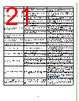
20 / 29 page  20 TROUBLESHOOTING Table 5. Troubleshooting PROBLEM POTENTIAL CAUSES SOLUTIONS Front panel Power button does not turn on The button has been pushed on and off within 3 seconds. The front panel Power button has a 3 second delay between when it is turned off and on in rapid succession. This is a safety mechanism to ensure there is no damage to either the TC instrument or the attached load. The rear panel switch is off. Turn the rear panel switch to the on or | position. Temperature increases beyond the setpoint and will not come down The TEC and heatsink are not adequately sized for the thermal load The heat being generated by the load may be too great for the TEC to pump to the heatsink; a larger TEC or heatsink, or airflow may be needed. Consult Technical Note TN-TC01: Optimizing Thermoelectric Temperature Control Systems. Temperature does not stabilize very well at setpoint Poor thermal contact between components of the thermal load Use thermal paste or washers between the load/ TEC and TEC/heatsink interfaces. Make sure the temperature sensor is in good thermal contact with the load. Operating outside of the ideal region of the temperature sensor The sensor type and bias current should be selected to maximize sensitivity at the target temperature. Thermistors provide the best performance, particularly for applications where a single setpoint temperature must be accurately maintained. For example, at 25°C a 10 kΩ thermistor has a sensitivity of 43 mV/°C, whereas an RTD sensor has a sensitivity of 4 mV/°C. Proportional control term is set too high Run an IntelliTune scan. Derivative term is introducing noise. Run an IntelliTune scan. Using a resistive heater, temperature is slow to stabilize and is not within the specifications Setpoint temperature is set too close to the ambient temperature Set the temperature at least 10°C above ambient when using a resistive heater. A resistive heater is unable to precisely maintain temperatures near ambient because once the temperature overshoots the setpoint, the controller turns off and relies on ambient temperature to cool the load. If setting the temperature 10°C or more above ambient is not possible, then choose a thermoelectric, which can alternately heat and cool the load to maintain a more precise setpoint temperature. Airflow across load is inadequate. Use a fan to blow air across the load to increase natural convection. Temperature does not reach the setpoint Insufficient current driven to the TEC or heater Increase the current limit - but DO NOT exceed the specifications of the TEC or heater. The controller does not have sufficient compliance voltage to drive the TEC or heater Check the thermoelectric voltage and determine if it is too close to the 15 V maximum. If it is, choose a lower voltage thermoelectric. Actual temperature does not approach setpoint after output current is enabled Thermoelectric wiring is reversed. Reverse the leads to the thermoelectric. The thermoelectric is generating too much heat and has inadequate cooling Install a larger heatsink or a fan to cool the heatsink. I hear a beep and know there is an error, but nothing is displayed on the instrument screen A remote command REMERR needs to be set to 1 to display errors Connect the TC LAB instrument to a remote computer and write the REMERR 1 command. See the Remote Command Set document for more information. Can’t clear an on-screen error message The cause of the error may not have been fixed. Press the enable button once. If the cause of the error is not corrected, the error message is displayed again. |
|
ссылки URL |
| Вашему бизинису помогли Аллдатащит? [ DONATE ] |
Что такое Аллдатащит | реклама | контакт | Конфиденциальность | Ссылка на техническое описание | обмен ссыками | поиск по производителю All Rights Reserved©Alldatasheet.com |
| Russian : Alldatasheetru.com | Korean : Alldatasheet.co.kr | Spanish : Alldatasheet.es | French : Alldatasheet.fr | Italian : Alldatasheetit.com Portuguese : Alldatasheetpt.com | Polish : Alldatasheet.pl | Vietnamese : Alldatasheet.vn Indian : Alldatasheet.in | Mexican : Alldatasheet.com.mx | British : Alldatasheet.co.uk | New Zealand : Alldatasheet.co.nz |
|
Family Site : ic2ic.com |
icmetro.com |
 Russian ▼
 English
 Chinese
 German
 Japanese
 Russian
 Korean
 Spanish
 French
 Italian
 Portuguese
 Polish
 Vietnamese
 Indian
 Mexican
 British
 New Zealand