|
поискавой системы для электроныых деталей |
|
|
поискавой системы для электроныых деталей |
|
SI7013USB-DONGLE датащи(PDF) 7 Page - Silicon Laboratories |
|
|
|||||||||||||||||||||||||||||
SI7013USB-DONGLE датащи(HTML) 7 Page - Silicon Laboratories |
|
|
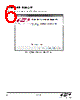
7 / 22 page  Si7013USB-DONGLE Rev. 0.7 7 4. Hardware Setup and Software Operation Once the GUI installation is complete, connect the Si7013 USB dongle to your PC. Your PC should automatically recognize the USB dongle and use the newly-installed driver. Next, find the icon for the Si7013 GUI, which should be easily found under recently-installed programs from the start menu, under Programs Silicon Laboratories Si70xx Evaluation Software or at C:\Program Files (x86)\Silicon Laboratories\Si70xx With all the hardware plugged in and once your PC identifies the USB dongle, launch the GUI. The GUI itself is simple to use. Figure 7 shows a screenshot of the GUI. Figure 7. GUI Screen Note: This is the GUI screen when an additional Si7020-EB is used. The appearance will change according to the number of sensors detected. The USB dongle contains one Si7013 relative humidity and temperature sensor and can also support one additional sensor at connector J2. All Si70xx sensor evaluation boards are supported. Note: The "postage stamp" boards are used on this connector with the 3-foot flat flexible cable. To use the cable, carefully lift the darker brown piece of the connector and insert the cable with the metal fingers of the cable facing the metal fingers of the connector then close the connector on the cable (see also figures 1 and 2). If a new postage stamp board is inserted into a powered dongle, click the “INIT” button on the GUI. |
|
|
ссылки URL |
| Вашему бизинису помогли Аллдатащит? [ DONATE ] |
Что такое Аллдатащит | реклама | контакт | Конфиденциальность | Ссылка на техническое описание | обмен ссыками | поиск по производителю All Rights Reserved©Alldatasheet.com |
| Russian : Alldatasheetru.com | Korean : Alldatasheet.co.kr | Spanish : Alldatasheet.es | French : Alldatasheet.fr | Italian : Alldatasheetit.com Portuguese : Alldatasheetpt.com | Polish : Alldatasheet.pl | Vietnamese : Alldatasheet.vn Indian : Alldatasheet.in | Mexican : Alldatasheet.com.mx | British : Alldatasheet.co.uk | New Zealand : Alldatasheet.co.nz |
|
Family Site : ic2ic.com |
icmetro.com |
 Russian ▼
 English
 Chinese
 German
 Japanese
 Russian
 Korean
 Spanish
 French
 Italian
 Portuguese
 Polish
 Vietnamese
 Indian
 Mexican
 British
 New Zealand