|
поискавой системы для электроныых деталей |
|
|
поискавой системы для электроныых деталей |
|
PIC16F631 датащи(PDF) 61 Page - Microchip Technology |
|
|
|||||||||||||||||||||||||||||
PIC16F631 датащи(HTML) 61 Page - Microchip Technology |
|
|
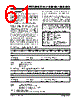
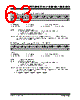
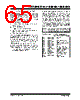
61 / 294 page  © 2007 Microchip Technology Inc. DS41262D-page 59 PIC16F631/677/685/687/689/690 4.0 I/O PORTS There are as many as eighteen general purpose I/O pins available. Depending on which peripherals are enabled, some or all of the pins may not be available as general purpose I/O. In general, when a peripheral is enabled, the associated pin may not be used as a general purpose I/O pin. 4.1 PORTA and the TRISA Registers PORTA is a 6-bit wide, bidirectional port. The corresponding data direction register is TRISA (Register 4-2). Setting a TRISA bit (= 1) will make the corresponding PORTA pin an input (i.e., disable the output driver). Clearing a TRISA bit (= 0) will make the corresponding PORTA pin an output (i.e., enables output driver and puts the contents of the output latch on the selected pin). The exception is RA3, which is input only and its TRIS bit will always read as ‘1’. Example 4-1 shows how to initialize PORTA. Reading the PORTA register (Register 4-1) reads the status of the pins, whereas writing to it will write to the PORT latch. All write operations are read-modify-write operations. Therefore, a write to a port implies that the port pins are read, this value is modified and then written to the PORT data latch. RA3 reads ‘0’ when MCLRE = 1. The TRISA register controls the PORTA pin output drivers, even when they are being used as analog inputs. The user should ensure the bits in the TRISA register are maintained set when using them as analog inputs. I/O pins configured as analog input always read ‘0’. EXAMPLE 4-1: INITIALIZING PORTA Note: The ANSEL register must be initialized to configure an analog channel as a digital input. Pins configured as analog inputs will read ‘0’. BCF STATUS,RP0 ;Bank 0 BCF STATUS,RP1 ; CLRF PORTA ;Init PORTA BSF STATUS,RP1 ;Bank 2 CLRF ANSEL ;digital I/O BSF STATUS,RP0 ;Bank 1 BCF STATUS,RP1 ; MOVLW 0Ch ;Set RA<3:2> as inputs MOVWF TRISA ;and set RA<5:4,1:0> ;as outputs BCF STATUS,RP0 ;Bank 0 REGISTER 4-1: PORTA: PORTA REGISTER U-0 U-0 R/W-x R/W-x R-x R/W-x R/W-x R/W-x — — RA5 RA4 RA3 RA2 RA1 RA0 bit 7 bit 0 Legend: R = Readable bit W = Writable bit U = Unimplemented bit, read as ‘0’ -n = Value at POR ‘1’ = Bit is set ‘0’ = Bit is cleared x = Bit is unknown bit 7-6 Unimplemented: Read as ‘0’ bit 5-0 RA<5:0>: PORTA I/O Pin bit 1 = Port pin is > VIH 0 = Port pin is < VIL REGISTER 4-2: TRISA: PORTA TRI-STATE REGISTER U-0 U-0 R/W-1 R/W-1 R-1 R/W-1 R/W-1 R/W-1 — — TRISA5 TRISA4 TRISA3 TRISA2 TRISA1 TRISA0 bit 7 bit 0 Legend: R = Readable bit W = Writable bit U = Unimplemented bit, read as ‘0’ -n = Value at POR ‘1’ = Bit is set ‘0’ = Bit is cleared x = Bit is unknown bit 7-6 Unimplemented: Read as ‘0’ bit 5-0 TRISA<5:0>: PORTA Tri-State Control bit 1 = PORTA pin configured as an input (tri-stated) 0 = PORTA pin configured as an output Note 1: TRISA<3> always reads ‘1’. 2: TRISA<5:4> always reads ‘1’ in XT, HS and LP Oscillator modes. |
|
ссылки URL |
| Вашему бизинису помогли Аллдатащит? [ DONATE ] |
Что такое Аллдатащит | реклама | контакт | Конфиденциальность | Ссылка на техническое описание | обмен ссыками | поиск по производителю All Rights Reserved©Alldatasheet.com |
| Russian : Alldatasheetru.com | Korean : Alldatasheet.co.kr | Spanish : Alldatasheet.es | French : Alldatasheet.fr | Italian : Alldatasheetit.com Portuguese : Alldatasheetpt.com | Polish : Alldatasheet.pl | Vietnamese : Alldatasheet.vn Indian : Alldatasheet.in | Mexican : Alldatasheet.com.mx | British : Alldatasheet.co.uk | New Zealand : Alldatasheet.co.nz |
|
Family Site : ic2ic.com |
icmetro.com |
 Russian ▼
 English
 Chinese
 German
 Japanese
 Russian
 Korean
 Spanish
 French
 Italian
 Portuguese
 Polish
 Vietnamese
 Indian
 Mexican
 British
 New Zealand