 |
поискавой системы для электроныых деталей |
|
|
поискавой системы для электроныых деталей |
|
The question interval is too short.
Please try again in a few seconds.

Hello, Please ask a question about PIC16F684 Datasheet
# Example questions:
➢ What is the purpose of the rotary switch on the ac162083 header, and what potential issues arise if the wrong device type (hv vs f) is selected?
➢ For the ac162061 header, how are peripherals enabled or disabled, and what is the significance of the 'eccp', 'ssp', 'usart', '4k pfm', and 'adc' settings?
➢ For the ac162066 header, what needs to be done for proper operation with mplab ice 2000, and what are the different jumper settings related to?
| Part No. | PIC16F684 |
| Manufacturer | MICROCHIP |
| Size | 782 Kbytes |
| Pages | 78 pages |
| Description | Debug Header Specification |










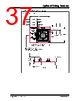

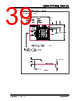






1. AC162060 (PIC16F785-ICD)
️· Jumper J2: Enable/Disable shunt regulator.
- PIC16F785 (F): 1-2 (Disable)
- PIC16HV785 (HV): 2-3 (Enable)
2. AC162061 (PIC16F690-ICD)
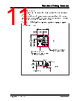
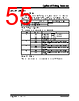
️· S1 Switches: Used to select different devices and enable peripherals. Refer to Table 2 for switch settings and device selection.
️· FIGURE 11: Shows the physical location of S1 switches.
3. AC162066 (PIC16F636-ICD)
️· Jumper J3: Selects between MPLAB ICE 2000 and in-circuit debugger modes.
- MPLAB ICE 2000: 1-2 (Run/program as production device)
- In-circuit debuggers: 2-3 (Run/program as ICD device)
️· Intended for use with PCM16YM0 processor module to emulate a PIC16F639.
4. AC162083 (PIC16F616-ICD)
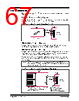
️· TABLE 3: Selects different devices based on Rotary switch position.
️· POTENTIAL ISSUES IMPORTANT WARNINGS about selecting the correct regulator type (HV vs. F):
- Using HV on an F target: Can cause excessive current draw and damage.
- Using F on an HV target: Can also cause excessive current draw and damage.
- Do not power target from debug tool when using HV devices
5. AC162060 (PIC16F785-ICD)
️· Jumper J2: Enable/Disable shunt regulator.
- PIC16F785 (F): 1-2 (Disable)
- PIC16HV785 (HV): 2-3 (Enable)
6. AC162061 (PIC16F690-ICD)
️· S1 Switches: Enable/disable peripherals and device selection. Refer to Table 2 for switch settings.
7. AC162066 (PIC16F636-ICD)
️· Jumper J3: Selects operating mode (MPLAB ICE or in-circuit debugger).
8. AC162083 (PIC16F616-ICD)
️· TABLE 3: Device selection via rotary switch.
TABLE: Summary of Supported Devices by Header
| Header | Primary Supported Devices (Examples) | Notes |
|---|---|---|
| AC162060 | PIC16F785, PIC16HV785 | Jumper for shunt regulator. |
| AC162061 | PIC16F610, PIC16F685, PIC16F690 | S1 switches for device/peripheral selection. |
| AC162066 | PIC16F636, PIC16F639 | Jumper for ICE/ICD mode, used with PCM16YM0 module. |
| AC162083 | PIC16F616 | Rotary switch selection, regulator type MUST be correct. |
1. AC162060 (PIC16F785-ICD)
️· Jumper J2: Enable/Disable shunt regulator.
- PIC16F785 (F): 1-2 (Disable)
- PIC16HV785 (HV): 2-3 (Enable)
2. AC162061 (PIC16F690-ICD)
️· S1 Switches: Used to select different devices and enable peripherals. Refer to Table 2 for switch settings and device selection.
️· FIGURE 11: Shows the physical location of S1 switches.
3. AC162066 (PIC16F636-ICD)
️· Jumper J3: Selects between MPLAB ICE 2000 and in-circuit debugger modes.
- MPLAB ICE 2000: 1-2 (Run/program as production device)
- In-circuit debuggers: 2-3 (Run/program as ICD device)
️· Intended for use with PCM16YM0 processor module to emulate a PIC16F639.
4. AC162083 (PIC16F616-ICD)
️· TABLE 3: Selects different devices based on Rotary switch position.
️· POTENTIAL ISSUES IMPORTANT WARNINGS about selecting the correct regulator type (HV vs. F):
- Using HV on an F target: Can cause excessive current draw and damage.
- Using F on an HV target: Can also cause excessive current draw and damage.
- Do not power target from debug tool when using HV devices
5. AC162060 (PIC16F785-ICD)
️· Jumper J2: Enable/Disable shunt regulator.
- PIC16F785 (F): 1-2 (Disable)
- PIC16HV785 (HV): 2-3 (Enable)
6. AC162061 (PIC16F690-ICD)
️· S1 Switches: Enable/disable peripherals and device selection. Refer to Table 2 for switch settings.
7. AC162066 (PIC16F636-ICD)
️· Jumper J3: Selects operating mode (MPLAB ICE or in-circuit debugger).
8. AC162083 (PIC16F616-ICD)
️· TABLE 3: Device selection via rotary switch.
TABLE: Summary of Supported Devices by Header
| Header | Primary Supported Devices (Examples) | Notes |
|---|---|---|
| AC162060 | PIC16F785, PIC16HV785 | Jumper for shunt regulator. |
| AC162061 | PIC16F610, PIC16F685, PIC16F690 | S1 switches for device/peripheral selection. |
| AC162066 | PIC16F636, PIC16F639 | Jumper for ICE/ICD mode, used with PCM16YM0 module. |
| AC162083 | PIC16F616 | Rotary switch selection, regulator type MUST be correct. |
| Part No. | PIC16F684 |
| Manufacturer | MICROCHIP |
| Size | 782 Kbytes |
| Pages | 78 pages |
| Description | Debug Header Specification |
| Вашему бизинису помогли Аллдатащит? [ DONATE ] |
Что такое Аллдатащит | реклама | контакт | Конфиденциальность | Ссылка на техническое описание | обмен ссыками | поиск по производителю All Rights Reserved©Alldatasheet.com |
| Russian : Alldatasheetru.com | Korean : Alldatasheet.co.kr | Spanish : Alldatasheet.es | French : Alldatasheet.fr | Italian : Alldatasheetit.com Portuguese : Alldatasheetpt.com | Polish : Alldatasheet.pl | Vietnamese : Alldatasheet.vn Indian : Alldatasheet.in | Mexican : Alldatasheet.com.mx | British : Alldatasheet.co.uk | New Zealand : Alldatasheet.co.nz |
|
Family Site : ic2ic.com |
icmetro.com |
 Russian ▼
  English
 Chinese
 German
 Japanese
 Korean
 Spanish
 French
 Italian
 Portuguese
 Polish
 Vietnamese
 Indian
 Mexican
 British
 New Zealand