|
поискавой системы для электроныых деталей |
|
|
поискавой системы для электроныых деталей |
|
E39-R1 датащи(PDF) 18 Page - Omron Electronics LLC |
|
|
|||||||||||||||||||||||||||||
E39-R1 датащи(HTML) 18 Page - Omron Electronics LLC |
|
|
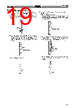
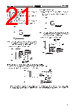
18 / 38 page  E3X-NH E3X-NH 18 If teaching is NG: The threshold indicator (red) flashes. The built-in buzzer beeps 3 times. Change the position of the object and the sensing distance that have been set and repeat from the beginning. Through-beam Model Reflective Model Reflective Model Light is received. Mark Base Press again once for 0.5 to 2.5 s 3. Set the mode selector to RUN. Be sure that the middle threshold indicator is ON, which means the threshold will be set to the middle between the values obtained with and without the sensing object. 3. Positioning/No-object Teaching 1. Set the mode selector to TEACH. Press the SET button once without a sensing object in the sensing area. Be sure that all the threshold indicators (red) are ON. The built-in buzzer beeps once when the threshold indicators are ON. Press once for 0.5 to 2.5 s 2. Set the mode selector to RUN. The threshold is set automatically. Use the manual tuning function for making fine adjustments. |
|
ссылки URL |
| Вашему бизинису помогли Аллдатащит? [ DONATE ] |
Что такое Аллдатащит | реклама | контакт | Конфиденциальность | Ссылка на техническое описание | обмен ссыками | поиск по производителю All Rights Reserved©Alldatasheet.com |
| Russian : Alldatasheetru.com | Korean : Alldatasheet.co.kr | Spanish : Alldatasheet.es | French : Alldatasheet.fr | Italian : Alldatasheetit.com Portuguese : Alldatasheetpt.com | Polish : Alldatasheet.pl | Vietnamese : Alldatasheet.vn Indian : Alldatasheet.in | Mexican : Alldatasheet.com.mx | British : Alldatasheet.co.uk | New Zealand : Alldatasheet.co.nz |
|
Family Site : ic2ic.com |
icmetro.com |
 Russian ▼
 English
 Chinese
 German
 Japanese
 Russian
 Korean
 Spanish
 French
 Italian
 Portuguese
 Polish
 Vietnamese
 Indian
 Mexican
 British
 New Zealand