|
поискавой системы для электроныых деталей |
|
|
поискавой системы для электроныых деталей |
|
E39-R5 датащи(PDF) 26 Page - Omron Electronics LLC |
|
|
|||||||||||||||||||||||||||||
E39-R5 датащи(HTML) 26 Page - Omron Electronics LLC |
|
|
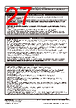
26 / 27 page  Photoelectric Sensors Technical Guide ● Operating Environment Water Resistance Do not use in water, in rain, or outside. Ambient Conditions Do not use this Sensor in the following locations. Otherwise, it may malfunction or fail. (1) Locations exposed to excessive dust and dirt (2) Locations exposed to direct sunlight (3) Locations with corrosive gas vapors (4) Locations where organic solvents may splash onto the Sensor (5) Locations subject to vibration or shock (6) Locations where there is a possibility of direct contact with water, oil, or chemicals (7) Locations with high humidity and where condensation may result Environmentally Resistive Sensors The E32-T11F/T12F/T14F/T81F-S/D12F/D82F and E3HQ can be used in locations (3) and (6) above. Optical Fiber Photoelectric Sensors in Explosive Gas Atmospheres The Fiber Unit can be installed in the hazardous area, and the Amplifier Unit can be installed in a non-hazardous area. <Reason> For explosion or fire due to electrical equipment to occur, both the hazardous atmosphere and a source of ignition must be in the same location. Optical energy does not act as an ignition source, thus there is no danger of explosion or fire. The lens, case, and fiber covering are made of plastic, so this setup cannot be used if there is a possibility of contact with solvents that will corrode or degrade (e.g., cloud) the plastic. <Ignition Source> Electrical sparks or high-temperature parts that have sufficient energy to cause explosion in a hazardous atmosphere are called ignition sources. Influence from External Electrical Fields Do not bring a transceiver near the Photoelectric Sensor or its wiring, because this may cause incorrect operation. ● Maintenance and Inspection Points to Check When the Sensor Does Not Operate • If the Sensor does not operate, check the following points. (1) Are the wiring and connections correct? (2) Are any of the mounting screws loose? (3) Are the optical axis and sensitivity adjusted correctly? (4) Do the sensing object and the workpiece speed satisfy the ratings and specifications? (5) Are any foreign objects, such as debris or dust, adhering to the Emitter lens or Receiver lens? (6) Is strong light, such as sunlight (e.g., reflected from a wall), shining on the Receiver? (7) Do not attempt to disassemble or repair the Sensor under any circumstances. (8) If you determine that the Sensor clearly has a failure, immediately turn OFF the power supply. Lens and Case The lens and case of the Photoelectric Sensor are primarily made of plastic. Dirt should be gently wiped off with a dry cloth. Do not use thinner or other organic solvents. • The case of the E3ZM, E3ZM-C and E3S-C is metal. The lens, however, is plastic. ● Accessories Using a Reflector (E39-R3/R37/RS1/RS2/RS3) During Application (1) When using adhesive tape on the rear face, apply it after washing away oil and dust with detergent. The Reflector cannot be mounted if there is any oil or dirt remaining. (2) Do not press on the E39-RS1/RS2/RS3 with metal or a fingernail.This may weaken performance. (3) This Sensor cannot be used in locations where oil or chemicals may splash on the Sensor. M8 and M12 Connectors • Be sure to connect or disconnect the connector after turning OFF the Sensor. • Hold the connector cover to connect or disconnect the connector. • Secure the connector cover by hand. Do not use pliers, otherwise the connector may be damaged. • If the connector is not connected securely, the connector may be disconnected by vibration or the proper degree of protection of the Sensor may not be maintained. ● Others Values Given in Typical Examples The data and values given as typical examples are not ratings and performance and do not indicate specified performance. They are rather values from samples taken from production lots, and are provided for reference as guidelines. Typical examples include the minimum sensing object, engineering data, step (height) detection data, and selection list for specifications. Cleaning • Keep organic solvents away from the Sensor. Organic solvents will dissolve the surface. • Use a soft, dry cloth to clean the Sensor. Non-hazardous area Amplifier Unit Fiber Unit Sensing object Hazardous area http://www.ia.omron.com/ C-6 (c)Copyright OMRON Corporation 2007 All Rights Reserved. |
|
|
ссылки URL |
| Вашему бизинису помогли Аллдатащит? [ DONATE ] |
Что такое Аллдатащит | реклама | контакт | Конфиденциальность | Ссылка на техническое описание | обмен ссыками | поиск по производителю All Rights Reserved©Alldatasheet.com |
| Russian : Alldatasheetru.com | Korean : Alldatasheet.co.kr | Spanish : Alldatasheet.es | French : Alldatasheet.fr | Italian : Alldatasheetit.com Portuguese : Alldatasheetpt.com | Polish : Alldatasheet.pl | Vietnamese : Alldatasheet.vn Indian : Alldatasheet.in | Mexican : Alldatasheet.com.mx | British : Alldatasheet.co.uk | New Zealand : Alldatasheet.co.nz |
|
Family Site : ic2ic.com |
icmetro.com |
 Russian ▼
 English
 Chinese
 German
 Japanese
 Russian
 Korean
 Spanish
 French
 Italian
 Portuguese
 Polish
 Vietnamese
 Indian
 Mexican
 British
 New Zealand