|
поискавой системы для электроныых деталей |
|
|
поискавой системы для электроныых деталей |
|
LMB202DFC датащи(PDF) 10 Page - Shenzhen TOPWAY Technology Co., Ltd |
|
|
|||||||||||||||||||||||||||||
LMB202DFC датащи(HTML) 10 Page - Shenzhen TOPWAY Technology Co., Ltd |
|
|
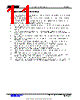
10 / 11 page  TOPWAY LCD Module User Manual LMB202DFC URL: www.topwaydisplay.com www.topwaysz.com Document Name: LMB202DFC-Manual-Rev0.1 Page: 10 of 11 4.5 Display Commands Code No. Instructions Function 1 Clear Display 0 0 0 0 0 0 0 0 0 1 Write “20h” to DDRAM and set DDRAM address (AC) to “00h” 2 Return Home 0 0 0 0 0 0 0 0 1 x Set DDRAM address (AC) to “00h” and return cursor to its original position if shifted (DDRAM contents are not change) 3 Entry Mode Set 0 0 0 0 0 0 0 1 I/D S Set cursor moving direction and specify display shift, during data read and write of DDRAM and CGRAM. S=1, screen shifting; S=0, no screen shifting I/D=1, AC=AC+1 and if S=1, screen shift left I/D=0, AC=AC-1 and if S=1, screen shift right 4 Display ON/OFF 0 0 0 0 0 0 1 D C B D=1, display on; D=0, display off C=1, cursor on; C=0, cursor off B=1, cursor blinking on; B=0, cursor blinking off 5 Cursor or Display Shift 0 0 0 0 0 1 S/C R/L x x Move the cursor or shift the display, where DDRAM contents. S/C=1, shift screen; S/C=0, shift cursor R/L=1, to right-side; R/L=0, to left side (if S/C=1, AC will not be changed) 6 Function Set 0 0 0 0 1 DL N F x x DL=1, 8-bit interface; DL=0, 4-bit interface N=1, 2-line display; N=0, 1-line display F=1, 5x11 dots font; F=0, 5x8 dots font 7 Set CGRAM address 0 0 0 1 AC5 AC4 AC3 AC2 AC1 AC0 Set CGRAM address in address counter 8 Set DDRAM address 0 0 1 AC6 AC5 AC4 AC3 AC2 AC1 AC0 Set DDRAM address in address counter 9 Read Busy flag & address 0 1 BF AC6 AC5 AC4 AC3 AC2 AC1 AC0 Check the system status and get the address counter content (AC6~AC0). BF=1, busy; BF=0, ready 10 Write data to RAM 1 0 D7 D6 D5 D4 D3 D2 D1 D0 Write the data into internal RAM, where the address counter pointing at. 11 Read data from RAM 1 1 D7 D6 D5 D4 D3 D2 D1 D0 Read the data from internal RAM, where the address counter pointing at. Note: *1. Do not use any other command not listed, or the system malfunction may result. *2. For the details of the Display Commands, please refer to ST7066U datasheet. |
|
|
ссылки URL |
| Вашему бизинису помогли Аллдатащит? [ DONATE ] |
Что такое Аллдатащит | реклама | контакт | Конфиденциальность | Ссылка на техническое описание | обмен ссыками | поиск по производителю All Rights Reserved©Alldatasheet.com |
| Russian : Alldatasheetru.com | Korean : Alldatasheet.co.kr | Spanish : Alldatasheet.es | French : Alldatasheet.fr | Italian : Alldatasheetit.com Portuguese : Alldatasheetpt.com | Polish : Alldatasheet.pl | Vietnamese : Alldatasheet.vn Indian : Alldatasheet.in | Mexican : Alldatasheet.com.mx | British : Alldatasheet.co.uk | New Zealand : Alldatasheet.co.nz |
|
Family Site : ic2ic.com |
icmetro.com |
 Russian ▼
 English
 Chinese
 German
 Japanese
 Russian
 Korean
 Spanish
 French
 Italian
 Portuguese
 Polish
 Vietnamese
 Indian
 Mexican
 British
 New Zealand